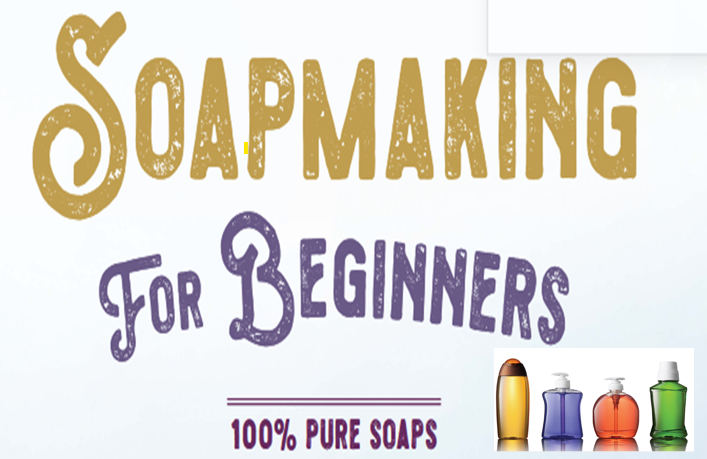
According MEDWEB ACADEMY - LIMITLESS LEARNING https://medwebacademy.org with the right online or physical course, one can actually learn to make soaps and other cleaning materials at a local setup. Its also a business idea with promising profit margins. Its so worrying to when you have a Look at how much you spend every week or every month on soap, detergent, and other cleaning products. Its also funny if you see how much you can save if you were not buying this products. What if I told you that everything you are buying from the shop right now, the liquid soap, the bar soap, the detergent, the toilet cleaner, the floor cleaner, you can make all of it yourself at home? With ingredients you can find in any market. For not even up to half of what you currently pay. I've been making and teaching soap, detergent, and cleaning product production for years. The people who come to my workshops are not chemists. Most of them have never mixed anything beyond cooking ingredients. Here is what most people do not know: The big brands are not selling you anything special. They are selling you cheap ingredients mixed in the right order, packaged beautifully, and marked up 10 times the actual cost. The problem is… Most people assume making these products at home is complicated. That it requires special equipment or chemicals they cannot find or skills they do not have. So they keep buying. Month after month. Year after year. Spending money they could easily keep. If you are serious, that ends today. Home soap and detergent production follows a simple process. The right ingredients, mixed in the right order, in the right quantities. That is all it is. Once you know the formula, you can produce in your kitchen what shops sell for five times the price. MEDWEB ACADEMY offers a course that empowers you with every step and formula in one place. Step-by-step, plain language guides for producing liquid soap, bar soap, laundry detergent, toilet cleaner, floor cleaner, and more using ingredients available in any market near you. This will not only make you a producer of your own products but a business owner of this products. By the time you finish the soap making course, you will know: The exact ingredients for thick, lathering liquid soap that looks and works better than what you currently buy, and costs almost nothing to produce How to make bar soap from scratch at home without any special equipment The detergent formula that cleans clothes as effectively as the leading brands, made entirely from cheap, locally available ingredients How to produce toilet cleaner, floor cleaner, and surface disinfectant at home for less than the price of one shop-bought bottle The exact measurements and mixing process for each product so that nothing goes wrong and nothing is wasted How to package and price your products if you want to sell them, because many people who buy this book start a business within weeks During the course, you will have an advantage to download ebooks and materials written by someone who started making these products at home to cut costs and ended up building a business from it. Everything in this course and learning materials is tested, practical, and repeatable. If you can follow a recipe, you can do this. It does not matter if you have never made anything like this before. The instructors guides you with empowering written materials for complete beginners. He will guide you on your first batch and help you avoid many mistakes unguided beginners experience . The little course amount you spend on this course https://medwebacademy.org/courses/commercial-soap-making/ ends the amount you spend on your cleaning products and helps you commercialize your extra end products to profitable profits. Once you enroll to this course https://medwebacademy.org/courses/commercial-soap-making/ and get materials and the instructions you can easily follow and feel confident and competent enough to produce and sell safely. Look at how much you and those people near you spend every week or every month on soap, detergent, and other cleaning products. Think of it that you are their supplier, how much would you make? Believe you me medwebacademy.org will make you that majority of the cleaning products you are buying from the shop right now, the liquid soap, the bar soap, the detergent, the toilet cleaner, the floor cleaner, you can make all of it yourself at home and even commercialize them for profit? Many if not all of the ingredients needed are easily available in market and supermarkets near you. For not even up to half of what you currently pay. Medwebacademy.org has been empowering many learners with soap making skills in courses and teaching soap, detergent, and cleaning product production for years. Learners who learn through our online courses or physically come to Medwebacademy.org workshops are not chemists. Most of them have never mixed anything beyond cooking ingredients, but leave the learning as gurus in soapmaking. Here is what most people do not know: The big brands are not selling you anything special. They are selling you cheap ingredients mixed in the right order, packaged beautifully, and marked up 10 times the actual cost. The problem is… Most people assume making these products at home is complicated. That it requires special equipment or chemicals they cannot find or skills they do not have. So they keep buying. Month after month. Year after year. Spending money they could easily keep. If you are serious, that ends today. https://medwebacademy.org/courses/commercial-soap-making/ will help you learn how to make soap and detergent as a beginner. The course will guide you on the right ingredients to buy and use, how to mix them in the right order and in the right quantities. And there you go. Once you know the formula, you can produce at your facility and even sell what you buy in shops for five times. This course https://medwebacademy.org/courses/commercial-soap-making/ also helps you with downloads and materials that gives you every formula in one place. Step-by-step, plain language guides for producing liquid soap, bar soap, laundry detergent, toilet cleaner, floor cleaner, and more using ingredients available in any market near you. By the time you finish this course https://medwebacademy.org/courses/commercial-soap-making/, you will know: The exact ingredients for thick, lathering liquid soap that looks and works better than what you currently buy, and costs almost nothing to produce How to make bar soap from scratch at home without any special equipment The detergent formula that cleans clothes as effectively as the leading brands, made entirely from cheap, locally available ingredients How to produce toilet cleaner, floor cleaner, and surface disinfectant at home for less than the price of one shop-bought bottle The exact measurements and mixing process for each product so that nothing goes wrong and nothing is wasted How to package and price your products if you want to sell them, because many people who buy this book start a business within weeks This course endeavors to recruit someone to start making these products at home to cut costs and then end up building a business from it. Everything in this https://medwebacademy.org/courses/commercial-soap-making/ is tested, practical, and repeatable. If you can follow the course and materials given you turn to be pro in soap production. It does not matter if you have never made anything like this before. The tutors are the best instructors for complete beginners in their first batch. The money you spend on these products every month adds up to more than you think. This course https://medwebacademy.org/courses/commercial-soap-making/ ends that expense permanently. Dr. Peter - Chief instructor at www.medwebacademy.org